Configuration
Configuration


- Details
- Parent Category: Simple Giver
- Created on Sunday, 16 May 2010 14:17
- Last Updated on Wednesday, 11 September 2013 14:40
- Published on Sunday, 16 May 2010 14:17
- Written by sandrine
- Hits: 371
How to configure the Giver ?
You configure the Giver with a notecard configgiver. There are 2 modes.
Mode auto
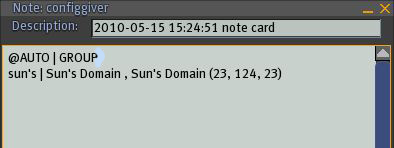
There is only a section in this mode
@AUTO
You can add an access GROUP or OWNER
@AUTO | GROUP
or
@AUTO | OWNER
If you want a name in the menu different that the real name (for example if the name is too long) just type menu name and real name on a line :
menu name | real name
For example :
boat | my great beautiful boat
Mode configured
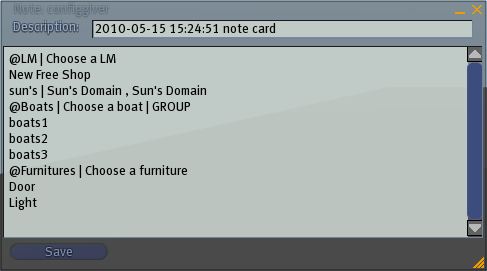
In this mode for each category that you want you type a line for the menu name :
@Menu Name
You can add the menu text :
@Menu Name | Menu text
You can also add the access (GROUP or OWNER) :
@Menu Name | Menu text | GROUP
After the menu name line you type the items lines
@Menu Name
item1
item2
item3
If you want a name in the menu different that the real name (for example if the name is too long) just type menu name and real name on a line :
menu name | real name
For example :
@Menu Name
item1 | a very long items 1
item2
item3
All modes (new in release A !)
There is now an API to trigger the giver from another script. Syntax is :
@API
channel number
For example
@API
1231
You can send a link message to the giver on this channel to get the menu.