Getting Started 2


- Details
- Parent Category: Simple Giver
- Created on Sunday, 16 May 2010 13:54
- Last Updated on Wednesday, 11 September 2013 14:40
- Published on Sunday, 16 May 2010 13:54
- Written by sandrine
- Hits: 304
For this second tutorial we make a configured giver
First we create an object and drop some elements and ths script Simple Giver :
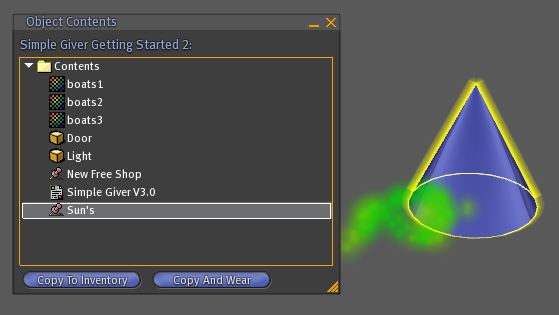
If we click on the giver now we get this menu :
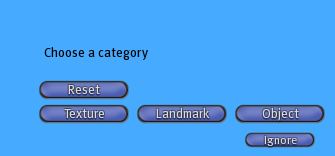
Because the giver is in "auto" mode. Now we create a notecard configgiver to configure the giver :
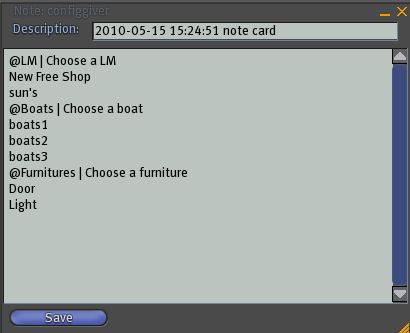
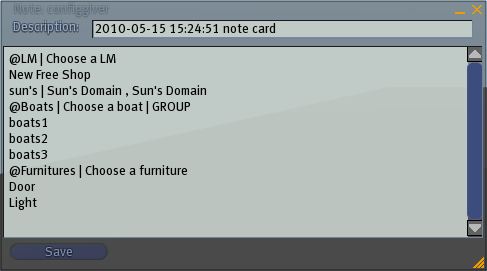
The syntax is easy. For each category we type a line that begins with @ and afetr the name of the category and the menu text. After this line we type the items names. Now we drop the notecard in the inventory, let the script read the note and click on the giver :
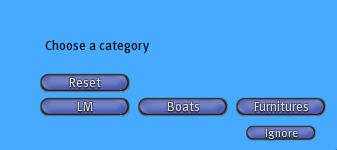
Seems correct ! We click on "Boats" category :
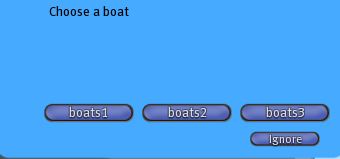
It works ! Now what happen if we get a long name ? Look ! I change a LM name :
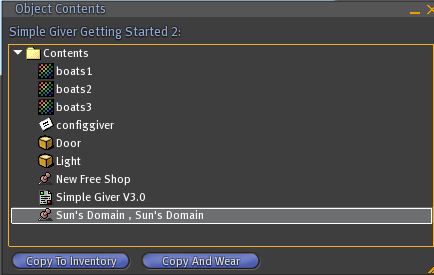
When the script read the notecard i get this message :

We have the name "sun's" in the notecard but not in the inventory so the script throw a message to alert you ! We must correct that and, as the name of the LM is too long, assign a short name for the menu and type the long name for reference :
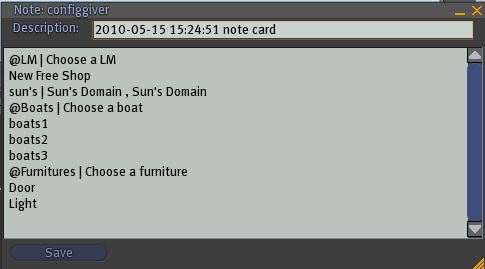
Now when get no alert and the good name in the LM menu :
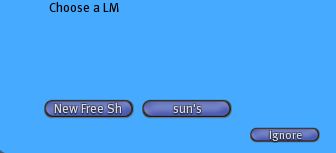
And the giver gives us the good item with the real name...
Now we want the category "Boats" only for the group. Easy to do :
Now if someone not in the group click on the giver :
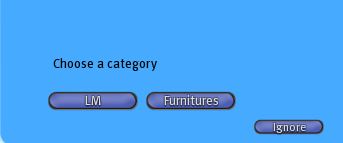
No more "Boats" category now !