Setting a panel of buttons


- Details
- Parent Category: Simple Lift
- Created on Tuesday, 01 January 2013 09:39
- Last Updated on Wednesday, 11 September 2013 14:40
- Published on Tuesday, 01 January 2013 09:39
- Written by sandrine
- Hits: 716
This feature works only with version 2.0 !
You can setup a panel of buttons on 1 primitive to save primitives.
First create your image and drop it on a child primitive of your lift (the primitive must be linked to the lift and you must not change this after setup because the panel script need the link number of this primitive). You can call this primitive the way you want :
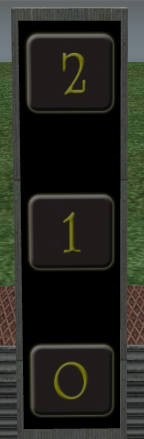
Drop the script "pannel setup V..." in the inventory of the primitive (the primitive where is the image of buttons, not the root !). Then answer the question of number of buttons :
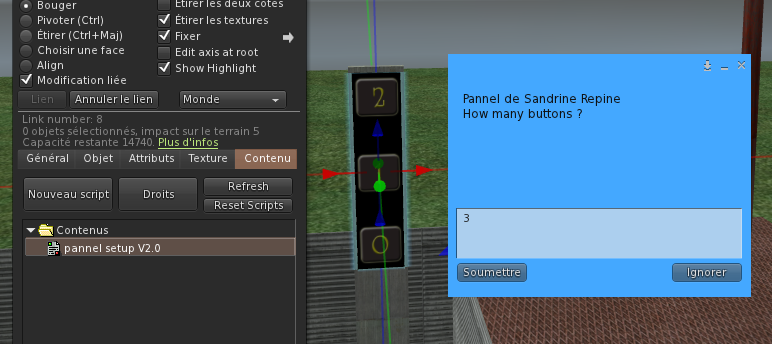
You get informations in the chat :

Click anywhere on the face of the primitive where is your image of buttons. You get new informations :

Click on a corner of the button 0 :
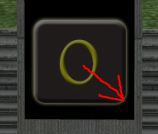
You get new information in chat :

Click the opposite corner of button 0 :
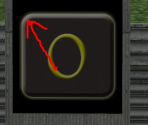
You get new information in chat :

Do the same clicks for button 1 and 2. You get all these informations :

When you have managed all buttons you get this window :
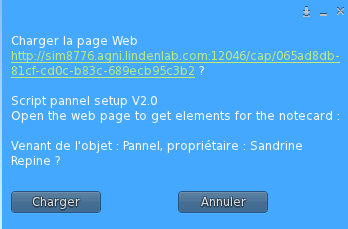
Click on button ("Load" in english) to open the web page :
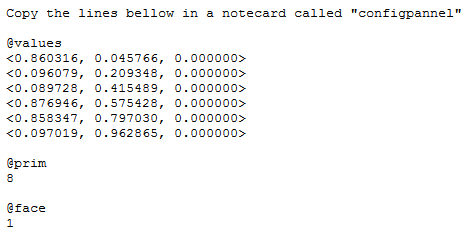
Copy the text in a notecard called "configpannel" :
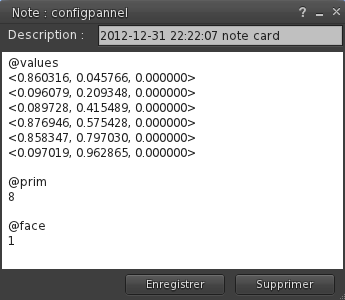
Drop this notecard and the script "pannel action V..." in the primitive inventory (in the root or in the buttons primitive, as you want) :
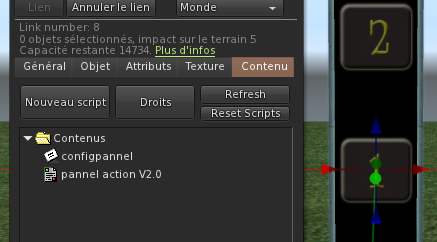
The script read the notecard and your panel is now ready ! If you have already done the setup of your lift the buttons should work (only with script "lift V2.0").