Sitmanager with slave mode (new in V4.01)

- Details
- Parent Category: Simple Sit
- Created on Friday, 12 March 2010 16:24
- Last Updated on Wednesday, 11 September 2013 14:40
- Published on Friday, 12 March 2010 16:24
- Written by sandrine
- Hits: 725
In this example the system is controled from another script. Imagine you've got a great script to change texture, color, and many others things and you want a button in your dialog box for the sitter. I show you there how you can do that with a simple example of command script.
First create a build and setup some animations to get a functional sitter. For example here is the one i've made to test this :
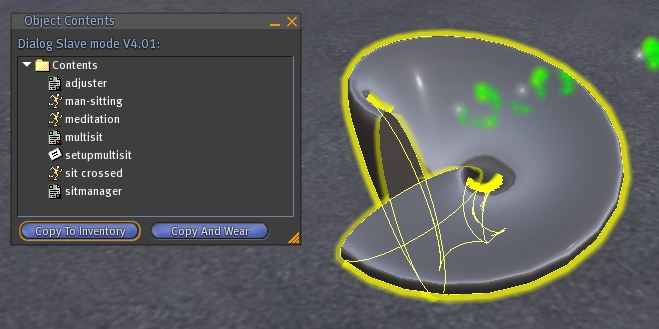
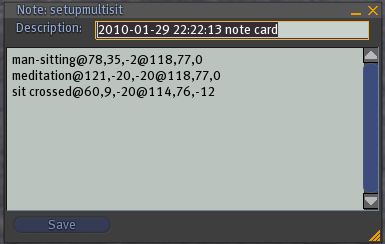
The sit is a simple primitive a bit tortured. I've used 3 animations. There the setup is done, look the section for setup if you dont know how to do a setup. You can see in the inventory the 3 animations, the scripts sitmanager, multisit and adjuster. There is also the notecard setupmultisit with animations parameters :
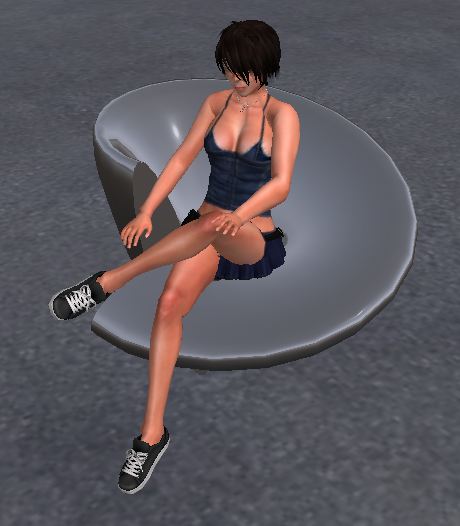
This sit is functional. I can sit !
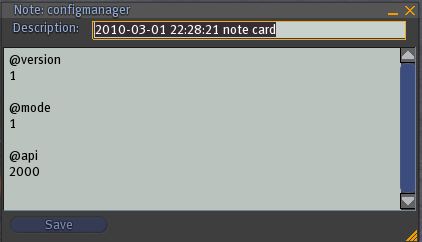
Now create a notecard configmanager with these informations :
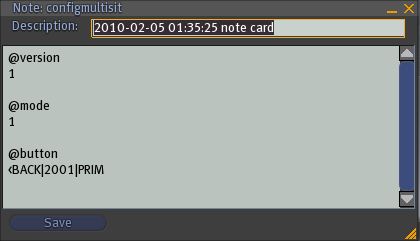
Drop it in the inventory and create a notecard configmultisit with these informations :
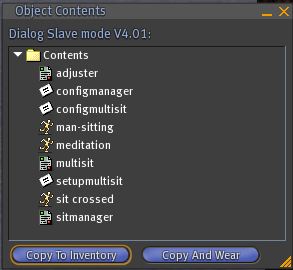
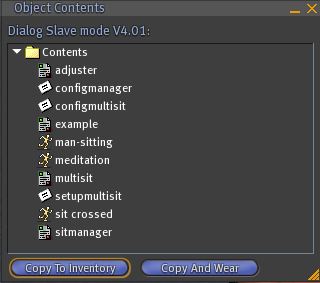
Now the inventory is like that :
Now here is the example script for color and texture change :
// *********************************************************
// Channels for sitmanager
// *********************************************************
//
// configsitmanager must have this option :
//
// @api
// 2000
//
// configmultisit must have this option :
//
// @button
// <BACK|2001|PRIM
//
// *********************************************************
integer sitmanager_send_chan = 2000;
integer sitmanager_back_chan = 2001;
// *********************************************************
// *********************************************************
// Script parameters
// *********************************************************
// Dialog
list lMenu = ["Exit","color","texture","sitter"];
list lColor = ["red","green","blue","back"];
list lTexture = ["texture 1","texture 2","texture 3","back"];
// Parameters
float fTimeOut = 20.0;
list lColorCode = [<1.0,.2,.2>,<.2,1.0,.2>,<.2,.2,1.0>];
list lTextureUUID = ["0b114ffa-07c9-eb72-3dac-df2b04501b18"
,"184daa77-baea-7ddb-7920-b358d824e7a1"
,"d5e711de-a30d-5855-f27b-82968eafda14"];
// *********************************************************
// Function to get random number for channel
integer GetRandomChannel() {return ~(integer)llFrand((float)DEBUG_CHANNEL);}
// Variables
integer iChannel;
integer iListen;
// Function to send dialog
setDialog(key id, list menu)
{
resetListen();
llSetTimerEvent(fTimeOut);
iChannel = GetRandomChannel();
iListen = llListen(iChannel, "", id, "");
llDialog(id, "\nSelect :", menu, iChannel);
}
// function to reset listen
resetListen()
{
llSetTimerEvent(.0);
if(iListen) {
llListenRemove(iListen);
iListen = 0;}
}
default
{
touch_start(integer total_number)
{
key k = llDetectedKey(0);
// Dialog only if avatar is sitting or if owner
if(llAvatarOnSitTarget() == k || llGetOwner() == k) setDialog(k, lMenu);
}
listen(integer channel, string name, key id, string message)
{
resetListen();
if(message == "sitter") {
// *********************************************************
// Sending message to sitmanager
// *********************************************************
llMessageLinked(LINK_THIS, sitmanager_send_chan, "", id);
// *********************************************************
}
else if(message == "color")
// Dialoge for color
setDialog(id, lColor);
else if(message == "texture")
// Dialog for texture
setDialog(id, lTexture);
else if (message == "back")
setDialog(id, lMenu);
else if(~llListFindList(lColor, [message])) {
// Setting color
llSetColor(llList2Vector(lColorCode, llListFindList(lColor, [message])), ALL_SIDES);
setDialog(id, lColor);}
else if(~llListFindList(lTexture, [message])) {
// Setting texture
llSetTexture(llList2String(lTextureUUID, llListFindList(lTexture, [message])), ALL_SIDES);
setDialog(id, lTexture);}
}
link_message(integer sender_number, integer number, string message, key id)
{
// *********************************************************
// Getting message from sitmanager
// *********************************************************
if(number == sitmanager_back_chan) setDialog(id, lMenu);
// *********************************************************
}
timer()
{
resetListen();
llWhisper(0,"Time out...");
}
}
Copy this code in a new script and drop it in the inventory. I've called it example :
Now when you sit and click on the seat you get this dialog box :
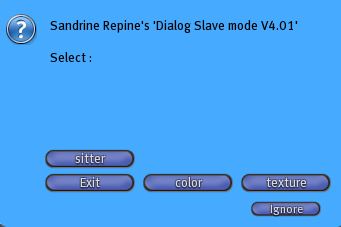
As you can see you have a button to change color, a button to change texture and the last one to get multisit dialog box. If you click on color button you get the color dialog :
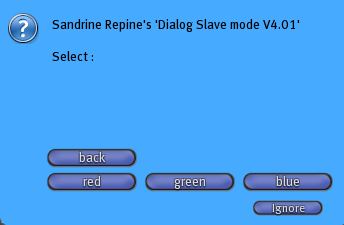
For example if you click on green :
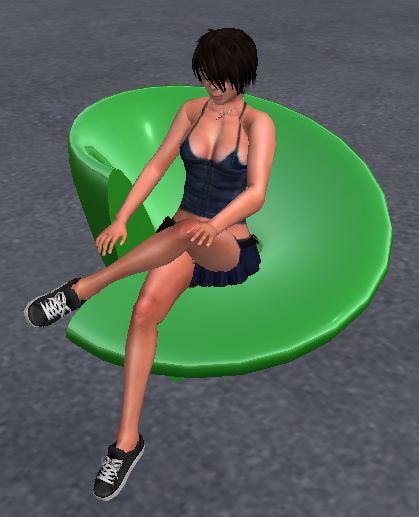
Good it works ! Now get the texture dialog :
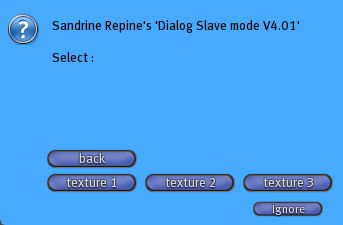
If you click on a texture button :
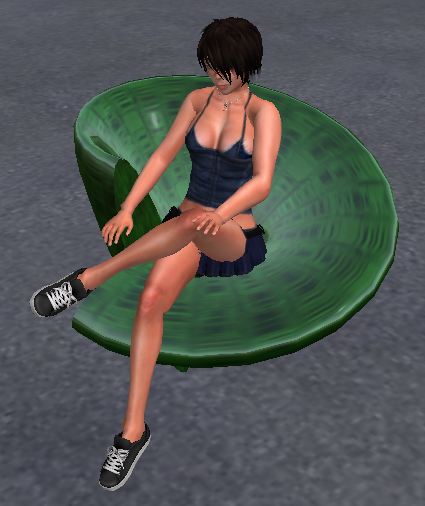
Perfect ! The example script works.You can play :
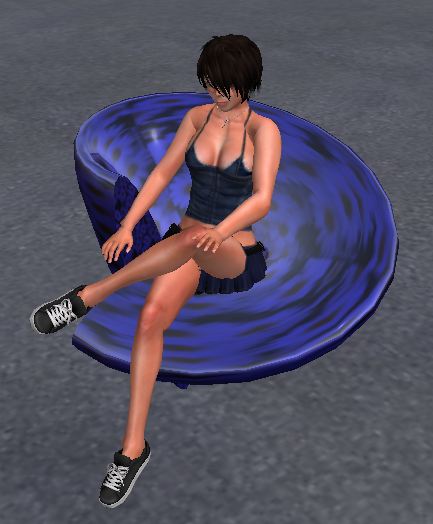
Now click on the "sitter" button from the main dialog. You get the casual dialog from multisit :
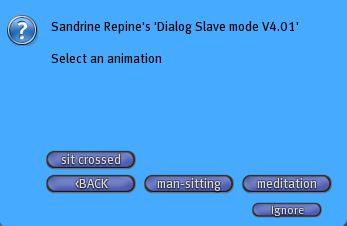
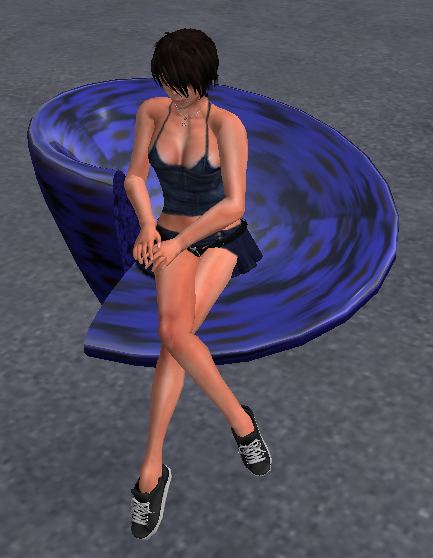
You can change animation :
And with the button "<BACK" you can return to the main dialog of example script :
And so on.