Multisit with simple change link (new !)


- Details
- Parent Category: Simple Sit
- Created on Friday, 24 September 2010 07:39
- Last Updated on Wednesday, 11 September 2013 14:40
- Published on Friday, 24 September 2010 07:39
- Written by sandrine
- Hits: 480
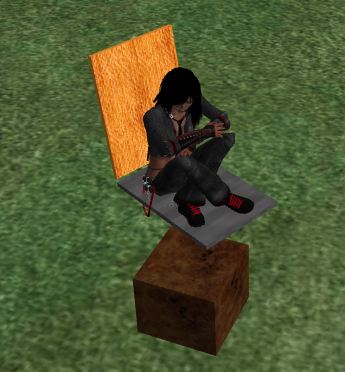
First create a functionnal sit and anticipate the linked prims movements :
Add a configmultisit notecard, or change it if you already have one. Add the section @command like that :
@command
103 | OBJECT
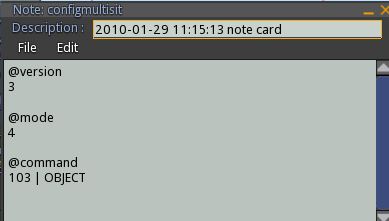
So multisit will send the animation name on channel 103. This is the default channel used by Simple Change Link.
Drop the script child in each linked prim you want to change :
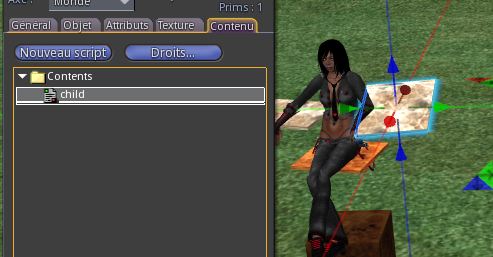
This change the linked prim name for "move". The original name will be returned at the end of the setup.
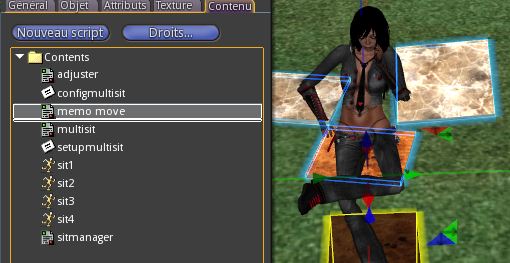
Drop the script memo move in sit inventory :
You get a menu :
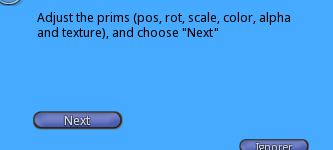
Now activate the animation ! If desired animation is already active then switch to another and return to it. Because multisit must send the good animation name to script memo move and do it only when animation is changed.
So change position, rotation, scale, color, alpha and texture of linked prims and click the "next" button.
You get a new menu :
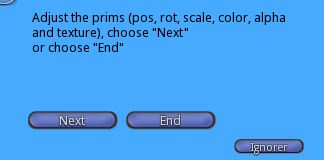
Now you can adjust a new state or end. As i have 4 animations I continue to adjust. So change animation and adjust linked prims :
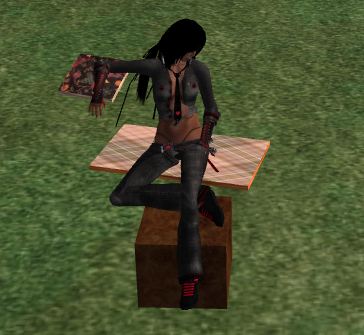
Here i've changed texture, scale and alpha (so one link is transparent). Click on "next" button and adjust all animations like that.
When you reach the last animation click on "End" button when all is adjusted for this animation. You get informations in the Chat. Copy all text between "//::::::::::::::: begin notecard :::::::::::::::::::::" and " //::::::::::::::: end notecard ::::::::::::::::::::::: ".
Copy the text in a notecard and call it configmove :
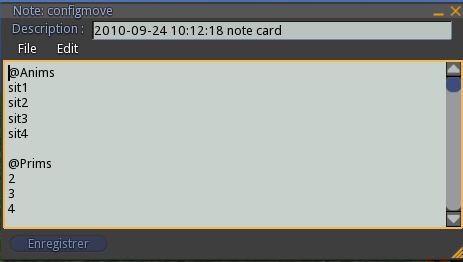
Drop this note in sit inventory. When it is done drop the script mover too.
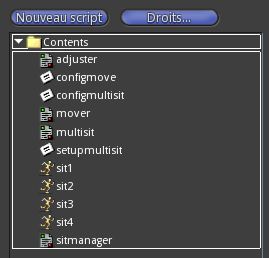
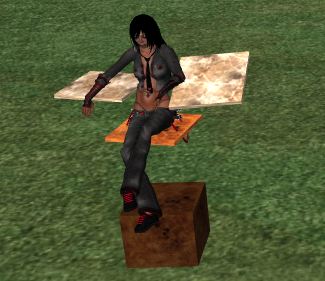
Wait for the script to read the notecard. Now you can test it ! Every time you change animation linked prims are changing too :