Getting Started 1


- Details
- Parent Category: Simple Sit
- Created on Saturday, 30 January 2010 08:36
- Last Updated on Wednesday, 11 September 2013 14:40
- Published on Saturday, 30 January 2010 08:36
- Written by sandrine
- Hits: 3121
For this first tutorial we process for an avatar and 3 animations with changing mode and names
Stage setup
1. create a box on the ground. This will be our headquarters for this first example.
2. open the box, yet it is empty
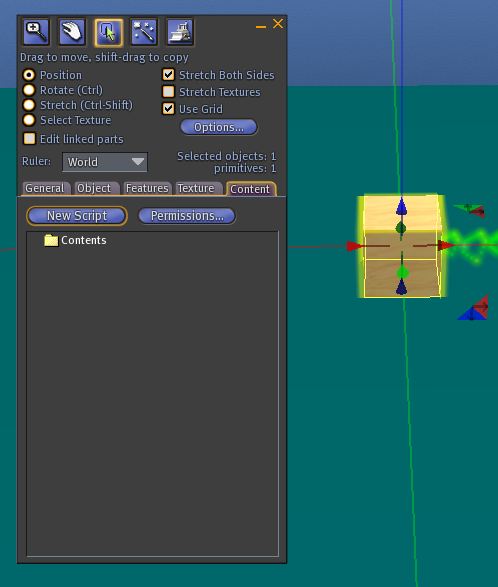
3. drag from your inventory the following animations:
man-sitting
meditation
sit crossed
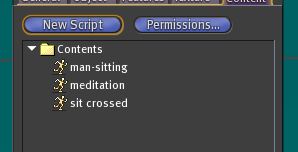
4.drag the script setup
5.drag the object setball : a ball is created on top of the box.
Take care the object setball must be put in the content, not directly rezzed !!!
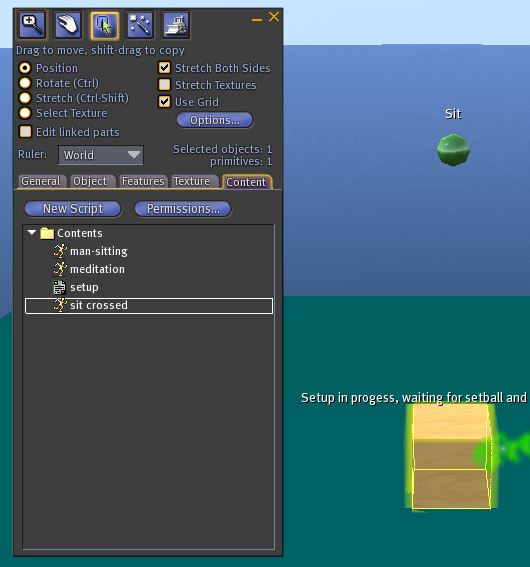
6.close the window content
7.click the ball : you are now seated and the ball deforms to be more accessible
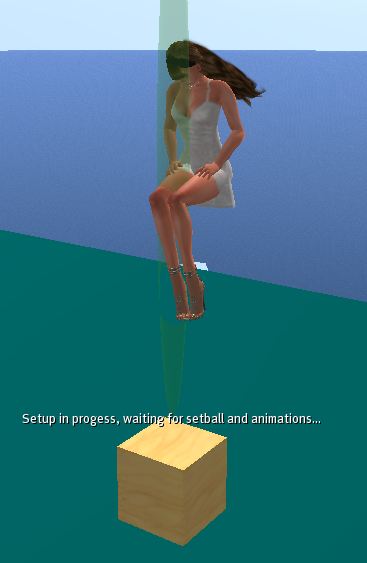
8.accept authorization animation
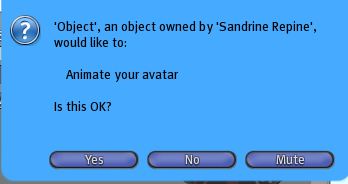
9.choose the button « simple » in the dialog box
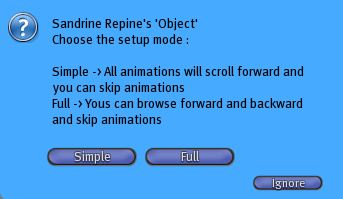
a new dialog box appears, yet do not click
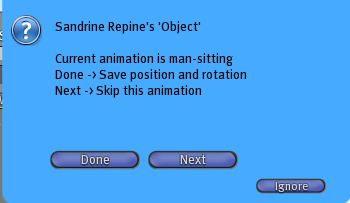
10.right click on the ball and switch to edit mode
11.adjust position and rotation
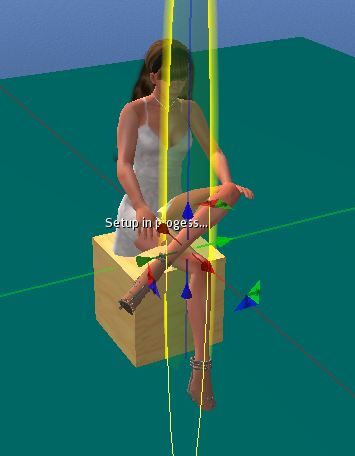
12.click « done » from the dialog box
13.adjust the second pose
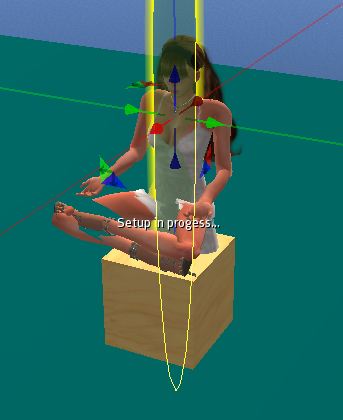
14.click « done » from the dialog box
15.adjust the third pose
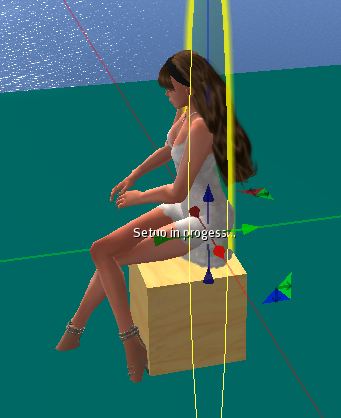
16.click « done » from the dialog box: the ball disappears and you are ejected
17.click on « Go to page » from the dialog box to open the webpage
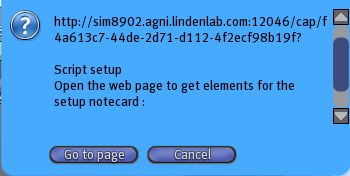
18.on the web page select the setup information and copy to clipboard (CTRL C or dialog)
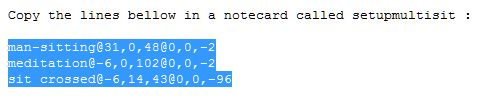
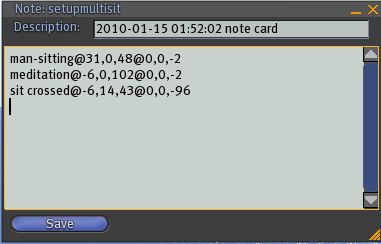
19.in your inventory create a new notecard and call it setupmultisit
20.open the notecard and paste the informations that you have in the clipboard, save the note.
- Prev
- Next >>
- Prev
- Next >>