How to make alias ?


- Details
- Parent Category: Simple Sit
- Created on Saturday, 13 February 2010 20:31
- Last Updated on Wednesday, 11 September 2013 14:40
- Published on Saturday, 13 February 2010 20:31
- Written by sandrine
- Hits: 444
Why making alias ?
If you get modify animations you can change their names as you want but if your animations are no modify you cant change them. If you keep long names they will not return in full in the buttons. Secondly, certain names are not very explicit. The script multisit already truncates the names of animations to make them compatible with the buttons of the dialog box and to prevent them exceed 24 characters, which would cause a script error.
How to make alias ?
You can create alias names for your animations by informing the alias section of the note configmultisit. Suppose you use the following 3 animations :
man-sitting
meditation
sit crossed
You get the following dialog box when using the seat
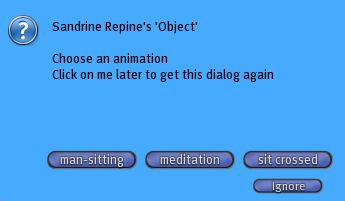
You want to change the name of the first and third animation. If you already have a note configmultisit you add the alias section :
@alias
man-sitting|cosy
sit crossed|straight
The syntax is simple : on one line you have the real name, a separator, and the new name. You do not have to create an alias for all the animations that you use. In our case the animation meditation has a name that suits us and we do not change it.
If you do not have yet a note configmultisit you must create one by providing information, in addition to the alias section, the section required version that must be at the beginning of the note:
@version
1
@alias
man-sitting|cosy
sit crossed|straight
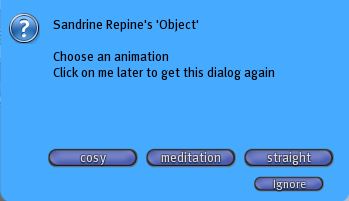
You get now the following dialog box when using the seat