Edit animation

- Details
- Parent Category: Simple Texture Animator
- Created on Friday, 24 September 2010 13:00
- Last Updated on Wednesday, 11 September 2013 14:40
- Published on Friday, 24 September 2010 13:00
- Written by sandrine
- Hits: 289
How to edit an animation ?
You need an object :
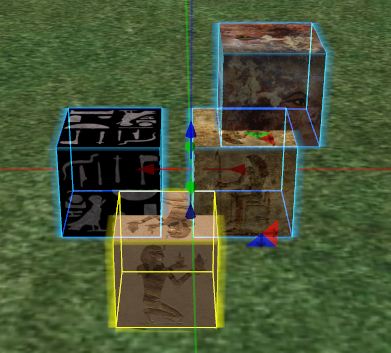
Drop in your object scripts texture animator and menu manager and notecard textureanim :
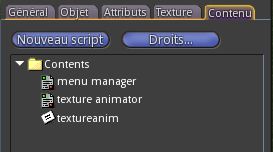
You get this menu :
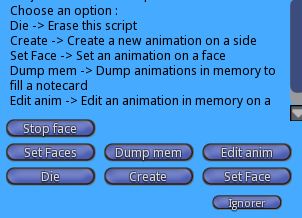
At any time you can type "menu" in Chat to get back the menu.
Click on "Edit anim". You get this menu :
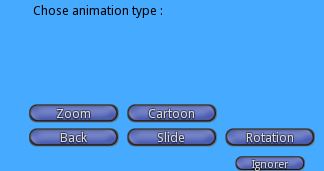
Choose a mode, you get a new menu :
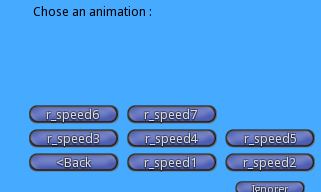
Choose an animation. You get this Chat message :

Click on a face :
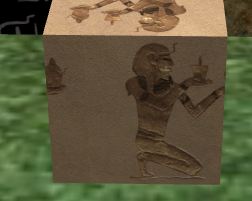
You get the animation to edit on this face.
You get also this menu :
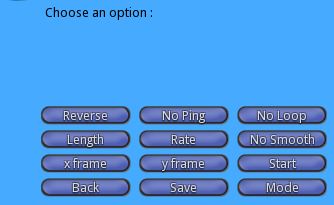
With this menu you can change all parameters of the animation.
You can read all informations on texture animation in SL on this wiki page.
Change all parameters to get the animation that you need.
When you are OK with your animation you must save it by clicking on "Save" button.You get this menu :
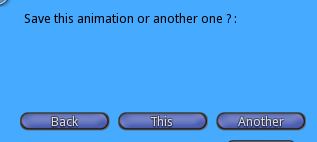
If you want to overwrite the animation choose "This", if you want to create a new aniamtion choose "Another". In this case you must type the animation name in Chat :

Now clik on "Back" button in creation menu and "Dump mem" in main menu. You get this menu :
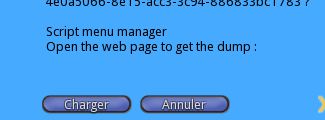
Click on "Charger" (or english word), you get informations for notecard in your navigator :
Copy the lines bellow in a notecard called textureanim :

@texture_animation
s_speed0.01,LOOP|SMOOTH,1.000000,1.000000,1.000000,1.000000,0.010000
s_speed0.05,LOOP|SMOOTH,1.000000,1.000000,1.000000,1.000000,0.050000
s_speed0.1,LOOP|SMOOTH,1.000000,1.000000,1.000000,1.000000,0.100000
s_speed0.5,LOOP|SMOOTH,1.000000,1.000000,1.000000,1.000000,0.500000
s_speed1,LOOP|SMOOTH,1.000000,1.000000,1.000000,1.000000,1.000000
s_speed2,LOOP|SMOOTH,1.000000,1.000000,1.000000,1.000000,2.000000
s_speed4,LOOP|SMOOTH,1.000000,1.000000,1.000000,1.000000,4.000000
s_speed6,LOOP|SMOOTH,1.000000,1.000000,1.000000,1.000000,6.000000
s_speed8,LOOP|SMOOTH,1.000000,1.000000,1.000000,1.000000,8.000000
s_speed10,LOOP|SMOOTH,1.000000,1.000000,1.000000,1.000000,10.000000
r_speed1,ROTATE|LOOP|SMOOTH,1.000000,1.000000,0.000000,6.283185,0.017453
r_speed2,ROTATE|LOOP|SMOOTH,1.000000,1.000000,0.000000,6.283185,0.104720
r_speed3,ROTATE|LOOP|SMOOTH,1.000000,1.000000,0.000000,6.283185,0.785398
r_speed4,ROTATE|LOOP|SMOOTH,1.000000,1.000000,0.000000,6.283185,1.675516
r_speed5,ROTATE|LOOP|SMOOTH,1.000000,1.000000,0.000000,6.283185,3.665192
r_speed6,ROTATE|LOOP|SMOOTH,1.000000,1.000000,0.000000,6.283185,4.817109
r_speed7,ROTATE|LOOP|SMOOTH,1.000000,1.000000,0.000000,6.283185,8.377581
z_speed.01,SCALE|LOOP|SMOOTH|PING_PONG,1.000000,1.000000,1.000000,1.000000,0.010000
z_speed.05,SCALE|LOOP|SMOOTH|PING_PONG,1.000000,1.000000,1.000000,1.000000,0.050000
z_speed.1,SCALE|LOOP|SMOOTH|PING_PONG,1.000000,1.000000,1.000000,1.000000,0.100000
z_speed.5,SCALE|LOOP|SMOOTH|PING_PONG,1.000000,1.000000,1.000000,1.000000,0.500000
z_speed1,SCALE|LOOP|SMOOTH|PING_PONG,1.000000,1.000000,1.000000,1.000000,1.000000
z_speed2,SCALE|LOOP|SMOOTH|PING_PONG,1.000000,1.000000,1.000000,1.000000,2.000000
z_speed4,SCALE|LOOP|SMOOTH|PING_PONG,1.000000,1.000000,1.000000,1.000000,4.000000
z_speed6,SCALE|LOOP|SMOOTH|PING_PONG,1.000000,1.000000,1.000000,1.000000,6.000000
z_speed8,SCALE|LOOP|SMOOTH|PING_PONG,1.000000,1.000000,1.000000,1.000000,8.000000
z_speed10,SCALE|LOOP|SMOOTH|PING_PONG,1.000000,1.000000,1.000000,1.000000,10.000000
c_2x1,LOOP,2.000000,1.000000,0.000000,0.000000,9.000000
c_4x1,LOOP,4.000000,1.000000,0.000000,0.000000,9.000000
c_6x1,LOOP,4.000000,1.000000,0.000000,0.000000,9.000000
c_8x1,LOOP,4.000000,1.000000,0.000000,0.000000,9.000000
c_2x2,LOOP,4.000000,1.000000,0.000000,0.000000,9.000000
c_4x2,LOOP,4.000000,1.000000,0.000000,0.000000,9.000000
c_6x2,LOOP,4.000000,1.000000,0.000000,0.000000,9.000000
c_8x2,LOOP,4.000000,1.000000,0.000000,0.000000,9.000000
my anim,LOOP|SMOOTH|PING_PONG,1.000000,1.000000,1.000000,1.000000,1.000000
There are all preset animations and yours at the end or just the animation changed. Copy and paste in notecard textureanim.
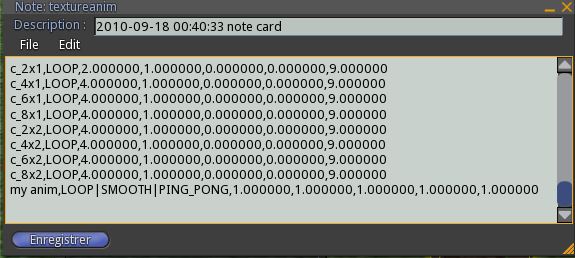
Click on "yes" in this menu :
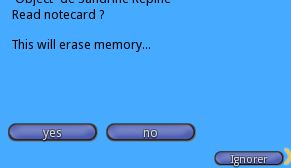
Wait for the script to read the notecard. Now your animation is in the menu :
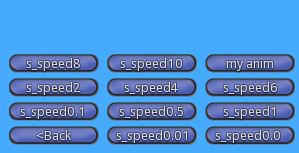
You can change all that you want in the notecard textureanim.